- 73 percent of reviews are SEO-worthless because they lack location-specific keywords
- NAP inconsistencies drop rankings 35 percent across directories and platforms
- 84 percent of near-me searches are mobile — mobile optimization is mandatory
- Responding to all reviews boosts usage 89 percent vs ignoring them
- Google requires 4+ star average for best-near-me searches
- Service area businesses lose 40 percent visibility with wrong setup
Mistake #1: Set-and-Forget Google Business Profile
The Problem
The "master mistake" that encompasses all others: You verify your Google Business Profile, fill in basic info, then never touch it again for months or years. Google prioritizes active, updated profiles over static ones—your listing slowly sinks while competitors who post weekly rise past you.
Why It's Costly
Google interprets inactivity as a signal of a closed or less-relevant business. Profiles not updated in 90+ days drop an average of 3-5 positions in local search results. At ₹800-1,200 per customer, losing 40-60 daily views costs ₹24,000-36,000/month.
The Fix
- •Weekly: Add 1-2 Google Posts (offers, updates, events) - takes 5 minutes
- •Monthly: Upload 3-5 new photos showing recent work
- •Quarterly: Update business description with seasonal keywords
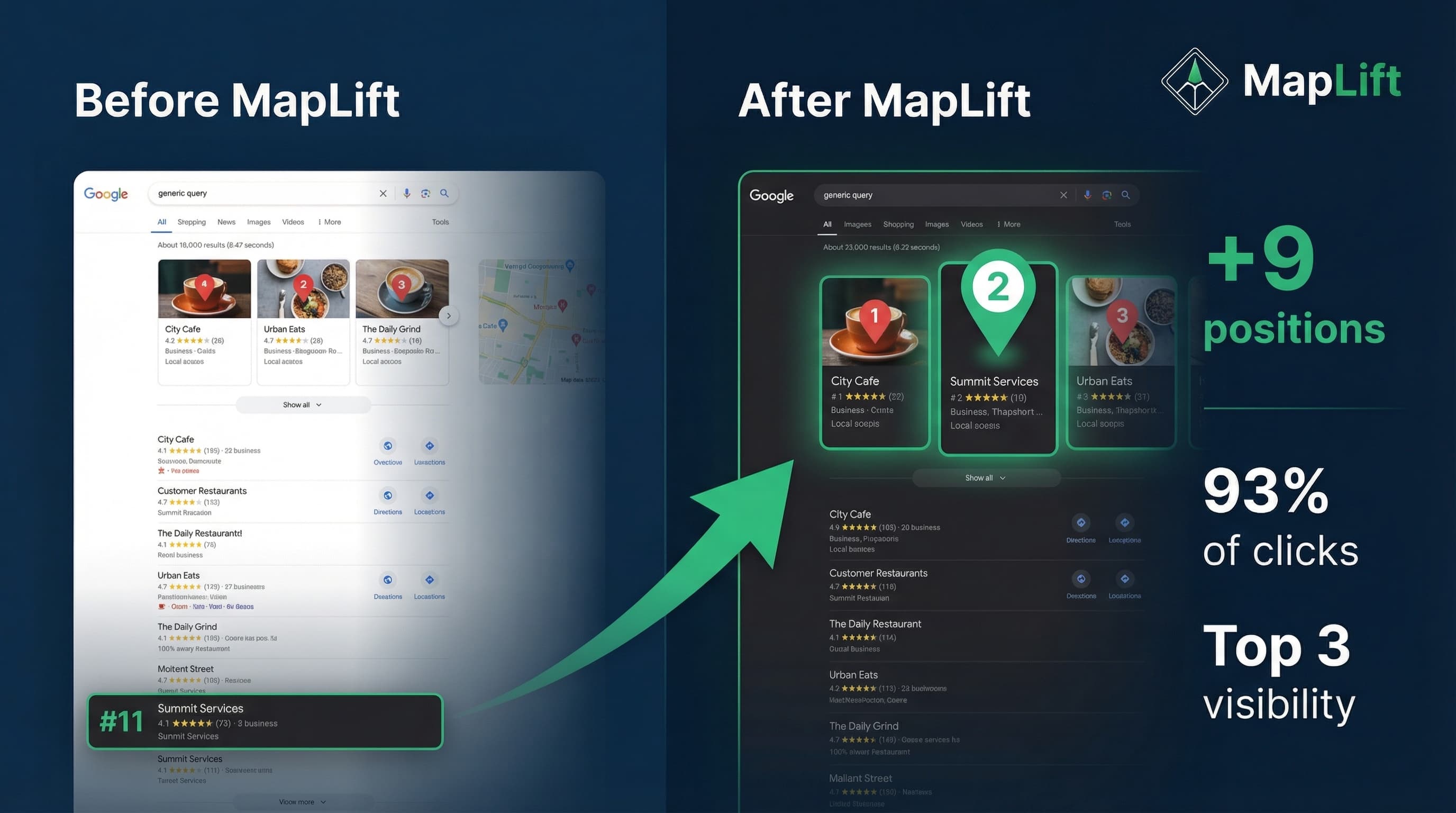
Real Example: Mumbai-based Cafe Zest went from posting nothing (6 months) to 2 posts/week. Result: 23-position jump in "best cafe Andheri" searches, foot traffic +47 percent in 60 days.
Mistake #2: Wrong Primary Category Selection
The Problem
Your primary category tells Google exactly what your business does—it's one of the most critical ranking factors. Choose "Restaurant" when you're actually a "Fast Food Restaurant" or "Cafe," and you're competing in the wrong arena.
Why It's Costly
Wrong category equals you won't appear for your most relevant searches. If you run a cloud kitchen and select "Caterer" instead of "Meal Delivery Service," you miss 70 percent of "food delivery near me" queries.
The Fix
- Research competitor categories: Search "[your business type] near me" → Check top 3 Local Pack results
- Go to your GBP dashboard → Info → Category → Select most specific match
- Add up to 9 additional categories (but primary is king)
- Avoid generic categories like "Business Service" - be specific
Category Priority: "Indian Restaurant" beats "Restaurant" for curry house. "Hair Salon" beats "Beauty Salon" for haircut-focused business.
Mistake #3: NAP Inconsistencies Across Platforms
The Problem
Your business Name, Address, and Phone number (NAP) varies across directories—even small discrepancies damage rankings. Writing "Street" on your website but "St" on Google My Business confuses search engines.
Why It's Costly
Inconsistent NAP weakens that trust, leading to 35 percent average ranking drops for businesses with 5+ NAP variations. You're essentially telling Google "We're not sure where we're located."
The Fix
Step 1: Audit Current NAP
Check: Google Business Profile, Facebook, Justdial, Sulekha, website footer, Instagram bio
Step 2: Standardize Format
Name: Spice Garden Restaurant
Address: Shop 12, Ravi Tower, MG Road, Bangalore 560001
Phone: +91-80-12345678
Step 3: Update Everywhere
Use exact same format on all 50+ platforms. Tools: BrightLocal, Moz Local, or manual audit
Mistake #4: Ignoring Mobile Optimization
The Problem
84 percent of "near me" searches happen on mobile, and 64 percent of all Google searches are mobile. Yet many businesses have websites where the phone number isn't clickable, buttons are too small, or pages load slowly on 4G networks.
Why It's Costly
78 percent of location-based mobile searches result in offline purchases—you're losing 4 out of 5 customers if mobile experience is poor. Average mobile bounce rate of 68 percent vs 45 percent for desktop.
Critical Mobile Checklist
- Click-to-call phone number (use tel: links)
- Mobile page load under 3 seconds
- Text size 16px minimum
- Touch targets 44x44px minimum
Mistake #5: Not Asking for (or Responding to) Reviews
The Problem
89 percent of consumers choose businesses that respond to all reviews. Yet most businesses never ask—they assume customers will review on their own, or fear negative reviews.
Why It's Costly
Google's "best [business] near me" searches only show businesses with 4+ star average. Below 4 stars? You're invisible to 40 percent of local searches. Plus: 5 reviews vs 50 reviews = 7-position ranking difference.
The Fix: Review Generation System
- Ask at perfect moment: Post-service when customer is happy
- Make it easy: Use QR code linking directly to Google review page
- Respond to ALL reviews: Within 24 hours, acknowledge → apologize → offer fix
WhatsApp Template: "Hi [Name], thank you for visiting [Business]! We'd love to hear your feedback. Could you take 30 seconds to share your experience? [Google Review Link]"
Mistake #6: Generic, Keyword-Free Reviews
The Problem
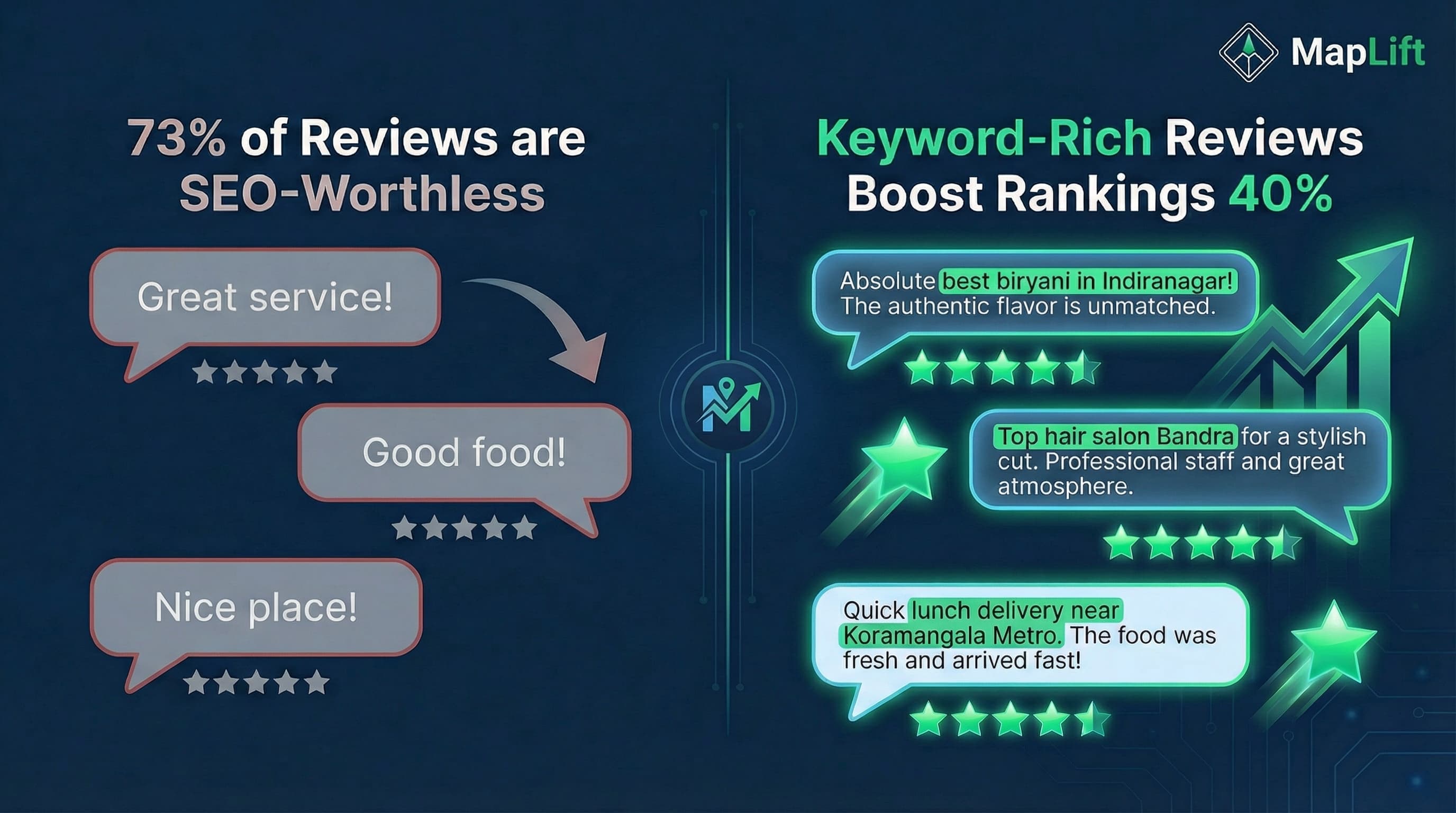
You have 50 reviews saying "Great service!" and "Good food!" but none mention location-specific keywords like "best biryani in Indiranagar" or "top hair salon Bandra." Generic reviews don't boost local search rankings—keyword-rich reviews do.
Why It's Costly
73 percent of reviews are SEO-worthless. Two competitors with 50 reviews each: One with keyword-rich reviews ranks 12 positions higher.
The Fix: Guide Reviews with Smart Templates
Don't say: "Please leave us a review"
Do say: "If you enjoyed your experience, we'd love to hear what you loved most! Share details like your favorite dish, our location convenience, or service quality."
What Customers Should Mention:
- • Specific service/product: "butter chicken" not "food"
- • Location keywords: "near Koramangala Metro"
- • Service type: "quick lunch delivery"
- • Outcome: "fixed my hair color disaster"
Mistake #7: Missing or Low-Quality Photos/Videos
The Problem
Photos aren't just nice-to-haves—they're ranking signals. Google uses visual content to extract context through AI image recognition. Businesses with 0-5 photos rank 30 percent lower than those with 50+ high-quality images.
Why It's Costly
Listings with photos get 42 percent more direction requests and 35 percent more website clicks than those without.
Photo Optimization Strategy
Upload 50+ photos across categories:
- • Exterior (storefront, signage, parking)
- • Interior (ambiance, seating, decor)
- • Products/Menu items (well-lit, appetizing)
- • Team (friendly, professional)
- • 360° virtual tour (highest engagement)
Quality Standards:
- • Resolution: 720px × 720px minimum
- • Lighting: Natural/bright (no grainy)
- • Freshness: Upload new photos weekly
- • Filename: Include keywords
Mistakes #8 & #9: Service Area & Duplicate Listings
Mistake #8: Wrong Service Area Setup
The Problem:
Showing home address instead of service areas loses 40 percent visibility. Claiming service area as "all of India" when you only serve Pune gets ignored.
The Fix:
Hide physical address → Define service areas accurately → Ensure map pin is at office entrance
Mistake #9: Duplicate or Unclaimed Listings
The Problem:
Multiple listings dilute authority, split reviews across profiles, and confuse Google's algorithm. Unclaimed listings let competitors edit your info.
The Fix:
Find duplicates → Claim them → Request removal → Provide proof (same phone, owner, location)
Mistakes #10 & #11: Keyword Stuffing & Inconsistent Citations
Mistake #10: Keyword Stuffing Business Name
Why Costly: Google can suspend your profile, making you completely invisible. Takes 2-4 weeks to restore.
The Fix:
- ✅ Use legal business name exactly
- ❌ Never add descriptive keywords ("Best," "Cheap," "24/7")
- ✅ Put keywords in business description instead
Mistake #11: Inactive or Inconsistent Citations
Why Costly: Competitors with 50+ consistent citations rank 20-25 percent higher than those with 10-15.
Priority Directories:
Google Business Profile, Facebook, Justdial, Sulekha, LinkedIn, Apple Maps, industry-specific (Zomato, Practo, UrbanClap)
Mistake #12: Not Using Google Business Posts & Features
The Problem
Google Business Profile has built-in features (Posts, Q&A, Products, Services) that 85 percent of businesses never use. These are ranking signals—Google interprets usage as "active, engaged business."
Why It's Costly
Businesses using Posts 2x/week rank 8-12 percent higher than those who don't. Google Posts appear directly in Knowledge Panel and drive 20-30 percent more clicks.
Weekly Content Calendar
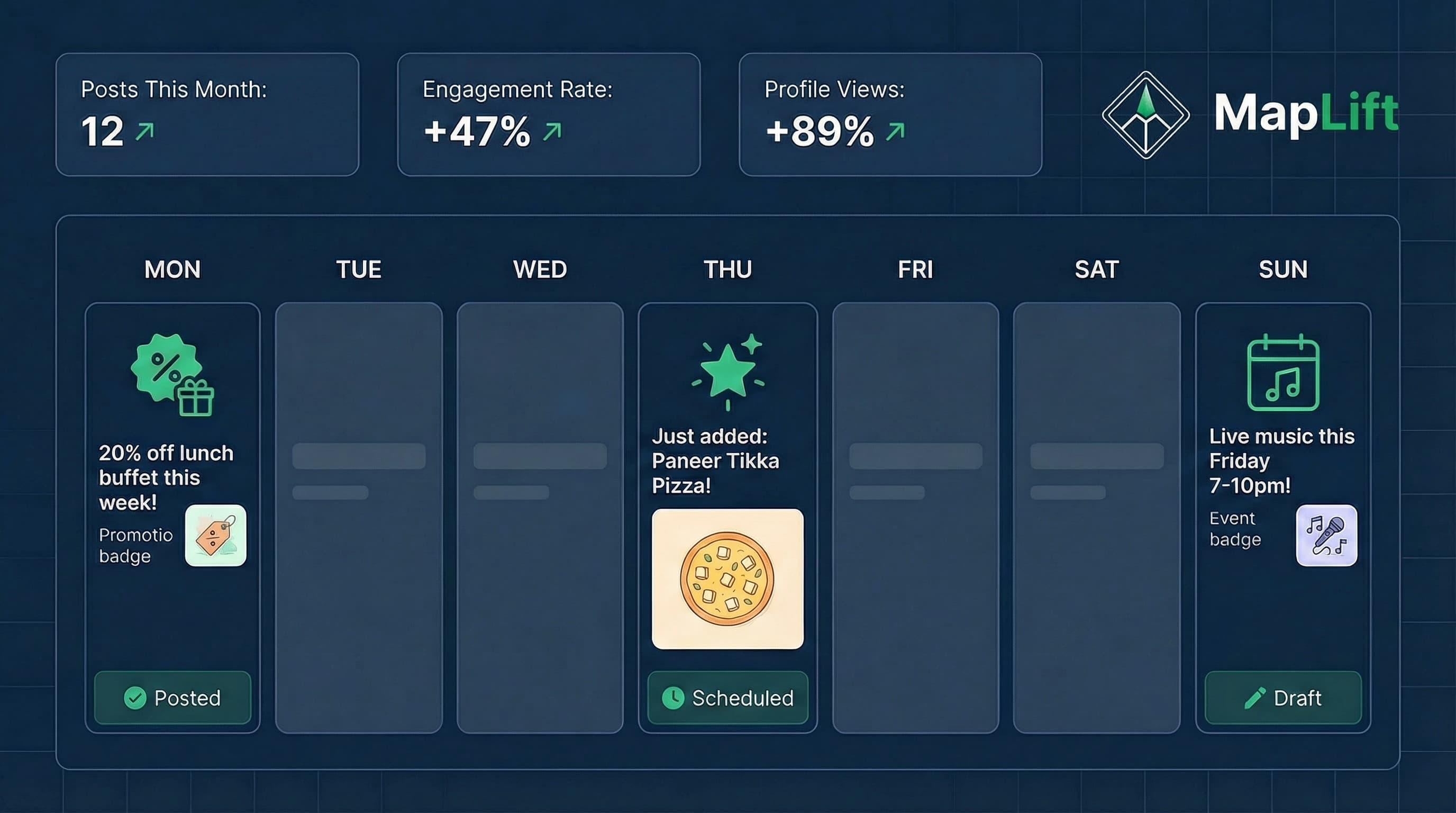
- Monday: Offer/Promotion Post - "20 percent off lunch buffet this week!"
- Thursday: What's New/Product Post - "Just added: Paneer Tikka Pizza!"
- Sunday: Event Post - "Live music this Friday 7-10pm!"
Post Specs: Length 100-300 words, photo 720×720px minimum, always include CTA button, posts refresh weekly (expire after 7 days)
Your 15-Minute Weekly Local SEO System
Local SEO isn't a one-time project—it's a 15-minute weekly habit that prevents ₹50,000 monthly losses.
Every Monday (15 minutes)
• Add 1 Google Post (offer/update/event)
• Upload 3 new photos from past week
• Respond to any new reviews
• Check Q&A section for unanswered questions
Every Month (30 minutes)
• Generate 5-10 new reviews using QR codes
• Verify top 10 directory listings still accurate
• Review Google Insights for metrics
• Analyze competitor profiles
Expected Results by Day 30
FAQ: Local SEO Mistakes
How often should I update my Google Business Profile?
What's the fastest way to fix NAP inconsistencies?
How many reviews do I need to rank in Local Pack?
Should I respond to negative reviews?
Can I pay for Google reviews?
How long does it take to see local SEO results?
Do I need different strategies for service area vs. storefront businesses?
Find Out Which Mistakes Are Costing YOU
MapLift analyzes your Google Maps listing in 15 seconds and shows your exact ranking position, all 12 mistakes with severity ratings, fixes prioritized by ROI, and AI-generated keyword-rich review templates.
Positions gained typically
Inquiry increase average
Time to see results
Sources & References
- Local Search Ranking Factors 2025- Whitespark
- The Complete Guide to Local SEO- Moz
- Google Business Profile Guidelines- Google
- Local Consumer Review Survey 2024- BrightLocal
Related Blog Posts
Explore more strategies to boost your Google Maps rankings and local visibility.