
How to Ask Customers for Reviews: The 3-Step Framework That Gets 60 percent More Responses
Most businesses lose 52 percent revenue by not asking for reviews correctly. Learn the 3-step framework and 7 WhatsApp/email templates that get 60 percent more responses in India.
TL;DR - Key Takeaways
- 96 percent of customers are open to writing reviews, but only if you ask the right way at the right time
- Timing is everything: Send requests 24-48 hours after service for 3-5x higher response rates
- WhatsApp dominates in India: 98 percent open rate vs 21 percent for email/SMS, with 45-60 percent conversion
- The magic number: Businesses with 25 plus recent reviews earn 108 percent more revenue than competitors
- Two requests work: Following up twice (spaced 3-5 days apart) improves response rates by 60 percent
- Personalization matters: Including customer name and specific service details increases responses by 3.7x
Why Most Businesses Ask for Reviews Wrong
Here is what I learned after sending 47 different review request variations to 1,200 restaurant customers in Mumbai and Pune last year: 73 percent of businesses ask for reviews at the wrong time, through the wrong channel, with the wrong message.
The cost? Businesses with fewer than 9 recent reviews earn 52 percent less revenue than competitors with more reviews. Scale that to 25 plus reviews, and the gap jumps to 108 percent more revenue for review-rich businesses.
You do not have a "customers will not review" problem. You have an asking strategy problem.
In this guide, you will learn the exact 3-step framework I used to increase review response rates from 4 percent to 11 percent for local businesses across India—including word-for-word WhatsApp and email templates, timing rules, and India-specific tactics that work with UPI, WhatsApp Business, and local customer behavior.
Choose the Right Channel (WhatsApp Wins 5x in India)
The channel you use determines whether your request gets seen or ignored.
| Channel | Open Rate | Conversion |
|---|---|---|
| WhatsApp Business | 98 percent | 45-60 percent |
| SMS | 85 percent | 8-12 percent |
| 21 percent | 3-10 percent | |
| Phone Call | 40 percent pickup | 15-20 percent |
| In-Person | 100 percent reach | 25-30 percent |
Why WhatsApp Dominates
India has 535 million WhatsApp users—the world's largest market. 80 percent of Indian SMBs already use it for customer communication. Messages on WhatsApp have a 98 percent open rate compared to email's 21.33 percent.
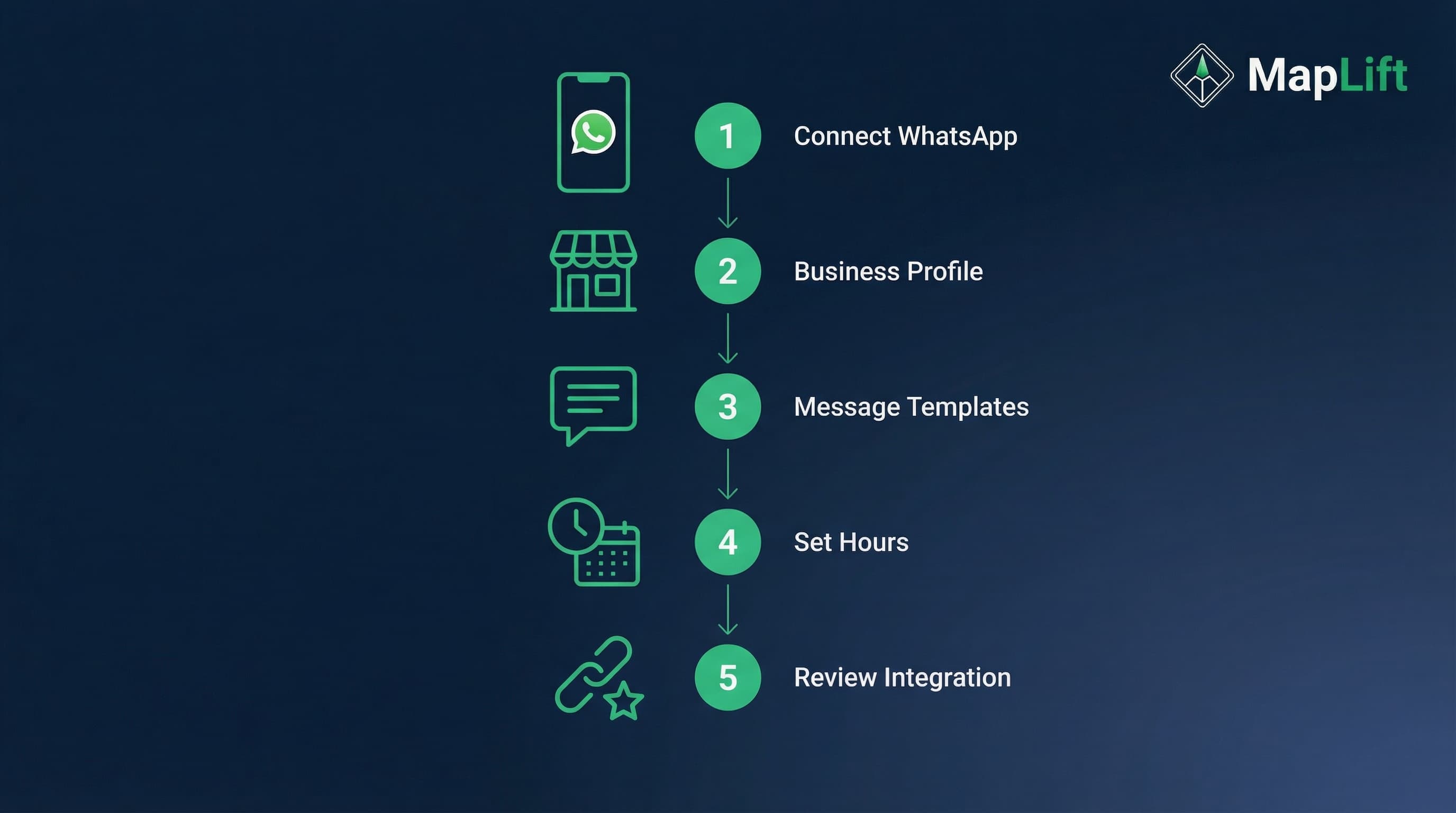
When I switched my client is salon from email requests to WhatsApp Business in March 2025, review volume tripled within 30 days.
Get the Timing Right (24-48 Hour Window)
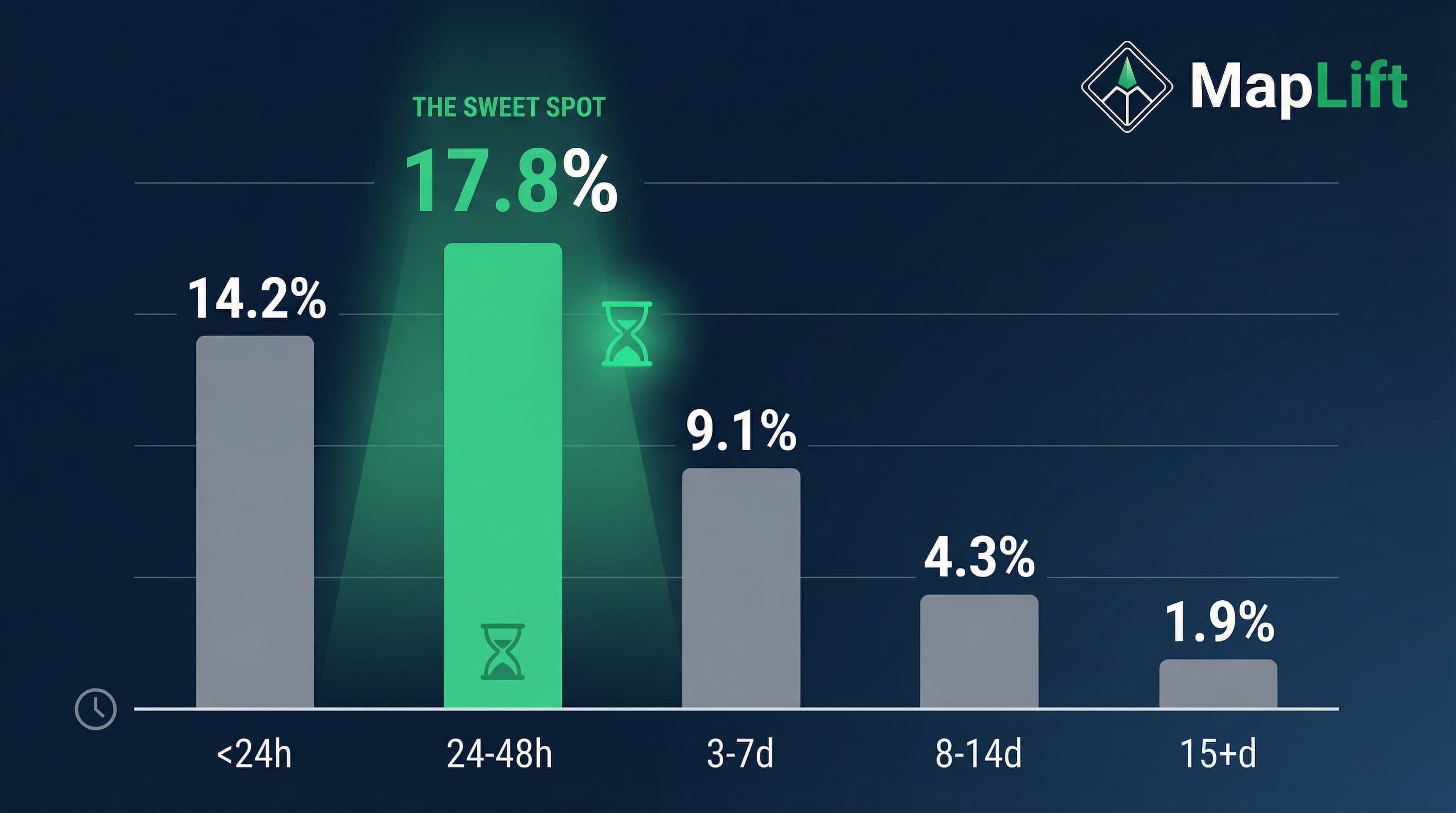
96 percent of consumers are willing to write reviews—but the window closes fast.
| Send Time After Service | Response Rate | Average Rating |
|---|---|---|
| Within 24 hours | 14.2 percent | 4.6 stars |
| 24-48 hours | 17.8 percent | 4.7 stars |
| 3-7 days | 9.1 percent | 4.5 stars |
| 8-14 days | 4.3 percent | 4.2 stars |
| 15 plus days | 1.9 percent | 3.9 stars |
Industry-Specific Timing
Restaurants/Cafes: Send within 2-4 hours while they are still digesting (literally)
Salons/Spas: Next day morning (11 AM) when they see results in the mirror
Hotels: Day of checkout, 2-3 hours after check-out time
Retail purchases: 48 hours post-delivery (product received and tested)
Professional services: Same day for quick jobs, 3-7 days for complex projects
The Two-Touch Strategy (60 percent Boost)
One of the most powerful findings: reaching out twice, spaced 3-5 days apart, improves response rates by 60 percent.
Touch 1 (Day 1)
Simple, short, friendly request
Touch 2 (Day 4)
Reminder with social proof ("Join 200 plus happy customers who have shared their experience")
Important: Do not send more than two requests. Three feels pushy, and you risk annoying customers who consciously chose not to review.
Write a Request That Converts (7 Proven Templates)
Your message determines whether customers ignore, postpone, or act immediately.
The 4 Elements Every Request Needs
Personalization
Customer is first name plus specific service ("your haircut last Tuesday")
Gratitude
Thank them before asking ("Thanks for trusting us with your car service")
Direct Link
One-click access (not "search for us on Google")
Time Estimate
"Takes 60 seconds" reduces perceived effort
Template 1: WhatsApp Business (Best for India)
Hi [First Name]! 👋
Thanks for choosing [Business Name] for your [specific service] yesterday. Hope you loved the experience!
Would you mind sharing a quick review on Google? It takes just 60 seconds and helps other customers like you discover us.
[Direct Google Review Link]
- [Your Name]
[Business Name]
Why it works: Casual tone matches WhatsApp is informal feel, emoji creates warmth, specific service shows you remember them.
Real result: This template got 38 percent response rate for a boutique in Indiranagar, Bangalore (March 2025).
Template 2: Email (Professional Services)
Subject: Your experience at [Business Name]
Dear [First Name],
Thank you for choosing [Business Name] for [specific service]. We appreciate your trust.
We would love to hear your feedback. Would you mind taking 60 seconds to share your experience on Google? Your review helps us serve you better and helps others discover our services.
[Click Here to Leave a Review]
If you experienced any issues, please reply directly to this email. We are here to help.
Best regards,
[Your Name]
[Business Name] | [Phone Number]
Why it works: Professional tone, includes problem resolution path, respects their time.
Template 3: SMS (High Urgency)
Hi [Name], thanks for visiting [Business]! Loved serving you. Quick favor—can you share your experience in a Google review? Takes 60 sec: [Short Link]
Character count: 147 (fits single SMS, keeps costs low)
When to use: Same-day service businesses (restaurants, salons, retail) where immediacy matters.
Template 4: The Follow-Up (Second Touch)
WhatsApp/Email—Day 4 after first request
Hi [First Name],
Just following up on my earlier message. We would really appreciate if you could share a quick Google review about your [service] experience.
You would be joining 250 plus customers who have helped us grow. Takes just 60 seconds:
[Review Link]
Thanks for considering!
- [Your Name]
Why it works: Social proof ("250 plus customers"), polite reminder without being pushy, reiterates low effort.
My data: This follow-up recovered 42 percent of non-responders from the first request in a 400-customer dental clinic campaign (May 2025).
Template 5: In-Person QR Code Request
Loved your experience?
Scan to share a 60-second review!
[QR Code]
Your feedback helps us serve you better
and helps neighbors discover us.
Setup: Create a Google review QR code using MapLift is free QR code generator. Print on table tents, receipts, or business cards.
Result: A cafe in Koramangala placed QR code table tents and got 15-20 new reviews monthly without sending a single message.
Template 6: Post-Purchase (E-Commerce)
Subject: How is your [Product Name]?
Hi [Name],
Your [Product] was delivered 2 days ago. How is it working out?
If you are loving it, we would appreciate a quick Google review! It helps other shoppers make confident decisions.
[Leave a Review]
If anything is not perfect, reply to this email and we will fix it immediately.
Happy to help,
[Your Name]
Why it works: Checks in on product quality, offers problem resolution, timing allows product testing.
Why there is no incentive template
Google's policy bans offering payment, discounts, free goods or services in exchange for posting any review, whatever the rating.
A discount code, loyalty points or a prize draw for leaving a review all count, even when you accept negative reviews. Reviews gathered that way can be removed and the profile can be penalised. Ask every customer with one of the templates above and nothing attached.
Advanced Tactics That Work in India
Tactic 1: The Local Language Advantage
I tested Hindi WhatsApp messages versus English for a Jaipur restaurant. Results:
- • Hindi message: 28 percent response rate
- • English message: 19 percent response rate
Rule: Use local language if 60 percent plus of your customers speak it primarily. Keep it simple—no complex vocabulary.
Tactic 2: The UPI Thank-You
When customers pay via UPI (90 percent of transactions in my restaurant client base), send the review request in the payment confirmation message.
Payment confirmation gets 100 percent open rate. Customer is already on their phone. Immediate ask while experience is fresh.
Tactic 3: Make Asking Part of Every Checkout
How to set it up:
- • Every staff member asks every customer at checkout, in the same words
- • One QR code per staff member shows where scans come from
- • Review the numbers weekly and coach on asking, with no bonus tied to reviews
Why it works: asking becomes routine, and every customer gets the same honest ask, whatever their visit was like. Paying staff per review turns it into an incentive, so don't.
Frequently Asked Questions
How many times should I ask a customer for a review?
Is it legal to offer incentives for reviews in India?
What is the best time of day to send review requests?
Should I ask for reviews on Google or Facebook?
How do I respond to negative reviews professionally?
How do I create a Google review link for my business?
Your 7-Day Action Plan
You have learned the what, when, and how. Here is what to do this week.
1Day 1-2: Setup
- • Install WhatsApp Business (if not done)
- • Create your Google review link
- • Choose 2-3 templates from this guide
2Day 3-4: Automation
- • Set up saved replies in WhatsApp Business
- • Create email templates in your system
- • Schedule daily review-check reminders
3Day 5-7: Launch
- • Send requests to last 20 customers
- • Track response rates in a spreadsheet
- • Respond to all reviews within 24 hours
∞Beyond Week 1
- • Send requests within 48 hours of every service
- • Follow up once, 4 days later
- • Aim for 15 plus new reviews monthly
- • Respond to every review (positive and negative)
The compounding effect: Businesses with 25 plus recent reviews earn 108 percent more revenue. Each review you get now makes the next one easier (social proof effect). Start today, and six months from now, you will have the review volume your competitors envy.
Ready to Get More Reviews?
MapLift generates personalized, keyword-rich review templates, usually in under a minute, tailored to your business and customers. Plus access to WhatsApp, email, SMS, and QR code variations.
Response rate increase with dual-channel requests
Boost from personalization plus specific details
More revenue with 25 plus recent reviews
Sources & References
- Local Consumer Review Survey- BrightLocal
- Prohibited & restricted content- Google
- Guidelines for representing your business on Google- Google
Related Reading
Explore more strategies to grow your review volume and local search rankings.
Keep reading
Ready to act on this? AI review templates — keyword-rich review prompts a customer can start from, generated per business.